Visit Singapore app iconVisit Singapore

iPhone app · Free

Singapore,
in your pocket.

Live weather and haze, hawker food guides, day-by-day trips you plan with friends, ticket comparison and a wallet for your bookings. Everything a first-time visitor needs, designed to be used on the street.

App Store · coming soonJoin the TestFlight beta

Requires iOS 17 or later. Built by Infonex Pty Ltd.

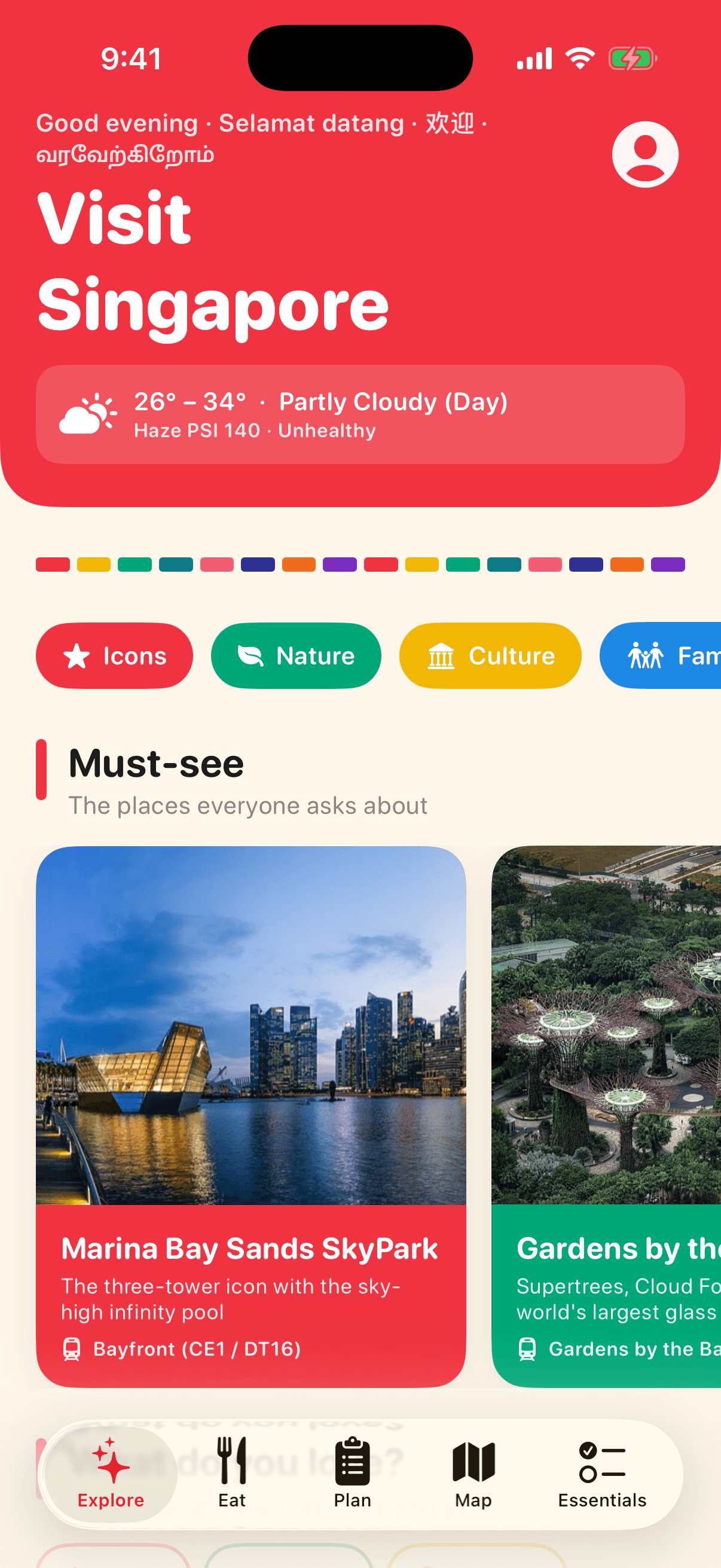
Explore screen with live Singapore weather and must-see places

Built for the first 72 hours in Singapore

Not a brochure. A tool you open on the MRT, at the hawker centre and in the queue at Changi.

☁️

Live weather & haze

Two-hour rain forecast by area, haze and UV from Singapore's NEA, on the home screen.

🍜

Hawker food, stall by stall

Eight must-try dishes and seven hawker centres with the exact stalls to queue for.

🗓️

Plan trips with friends

Day-by-day trips, shared with a six-letter code, editable by everyone on the trip.

🎟️

Tickets & wallet

Compare Klook, KKday, GetYourGuide and official prices, then keep QR codes offline.

🗺️

Map & directions

Every place on one map, with MRT and bus directions in Apple Maps or Google Maps.

✅

Everything practical

Arrival checklist, currency, transport, laws, Singlish, kopi orders and emergency numbers.

💬

Traveller tips

Check in, rate places and leave tips and photos for the next person.

📴

Works offline

Photos, guides and your tickets are stored on the phone. No data? No problem.

Every screen, explained

What each part of the app does and why it is there.

Explore screen of the Visit Singapore app
Home

Explore

The first screen tells you what today looks like before you step outside.

  • Live temperature, forecast and haze (PSI) straight from Singapore's National Environment Agency, refreshed on every launch.
  • A rain alert card appears when showers are forecast in the next two hours, with a one-tap link to an all-indoors plan.
  • Must-see icons, eight neighbourhood guides and a 'For you' row that adapts to the interests you pick.
Place pages screen of the Visit Singapore app
Attractions

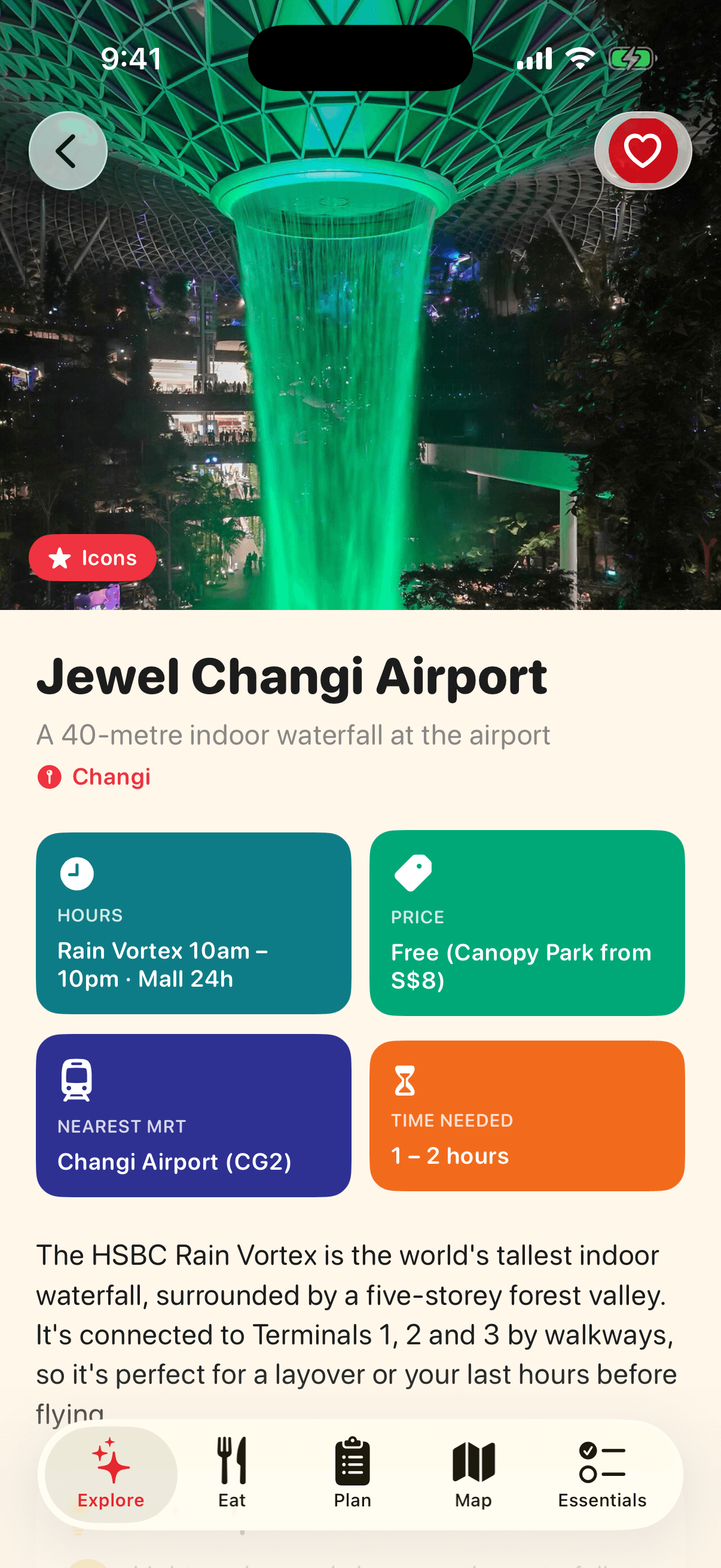
Place pages

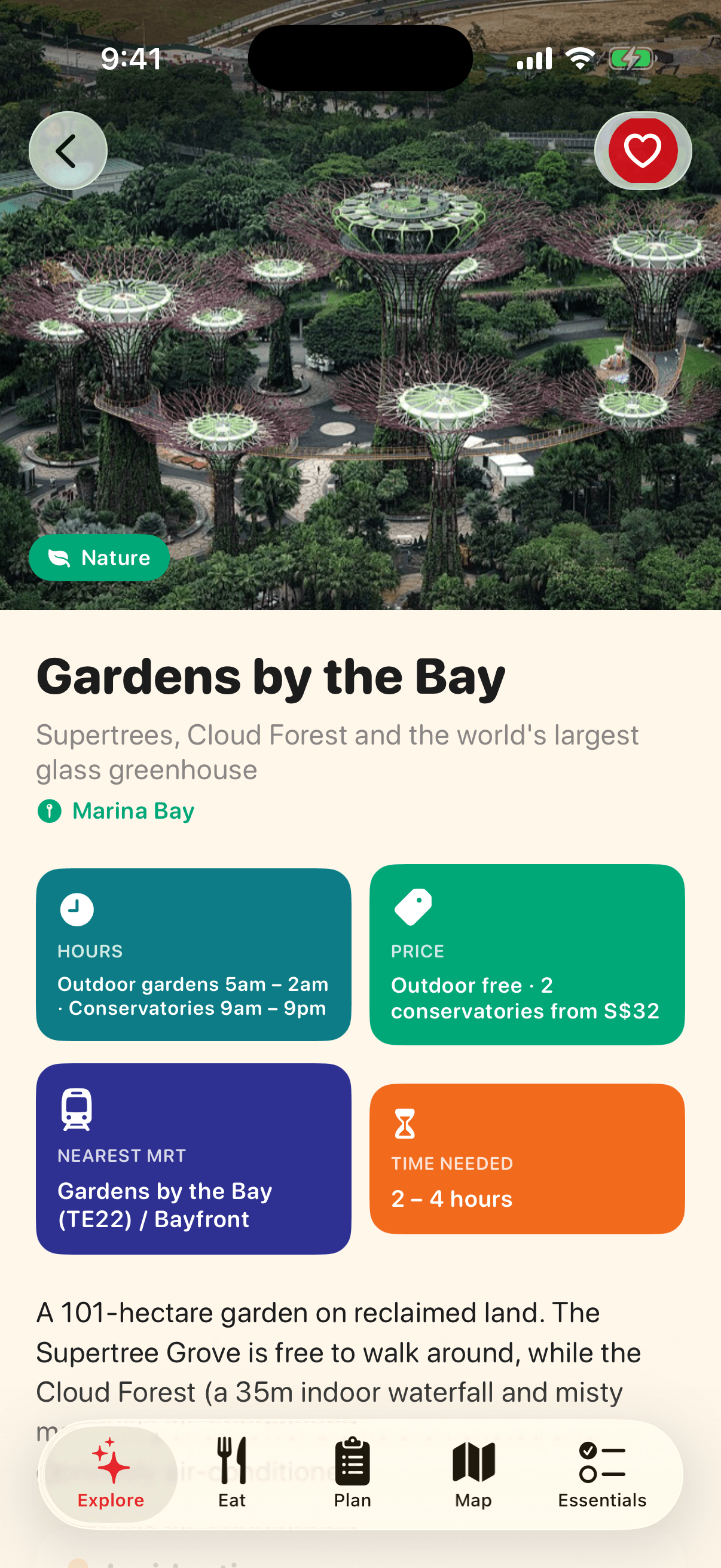
Every place answers the four questions visitors actually ask: when, how much, which MRT, how long.

  • Hours, price, nearest MRT station with line codes, and the time you should allow, as colour-coded tiles.
  • Insider tips written for first-timers: when the free light shows run, where the queue is shorter, what to skip.
  • Save with a heart, add to a trip, check in, read tips from other travellers, and get MRT or bus directions in Apple Maps or Google Maps.
Tickets & deals screen of the Visit Singapore app
Bookings

Tickets & deals

Compare ticket prices without leaving the page, and keep what you buy in your wallet.

  • Official ticket link first, then Klook, KKday, GetYourGuide and Trip.com for bundles and discounts.
  • Current promotions from attractions and partners show on the place they belong to.
  • Already have a ticket? Add it to the wallet so the QR code is ready at the gate.
Eat like a local screen of the Visit Singapore app
Food

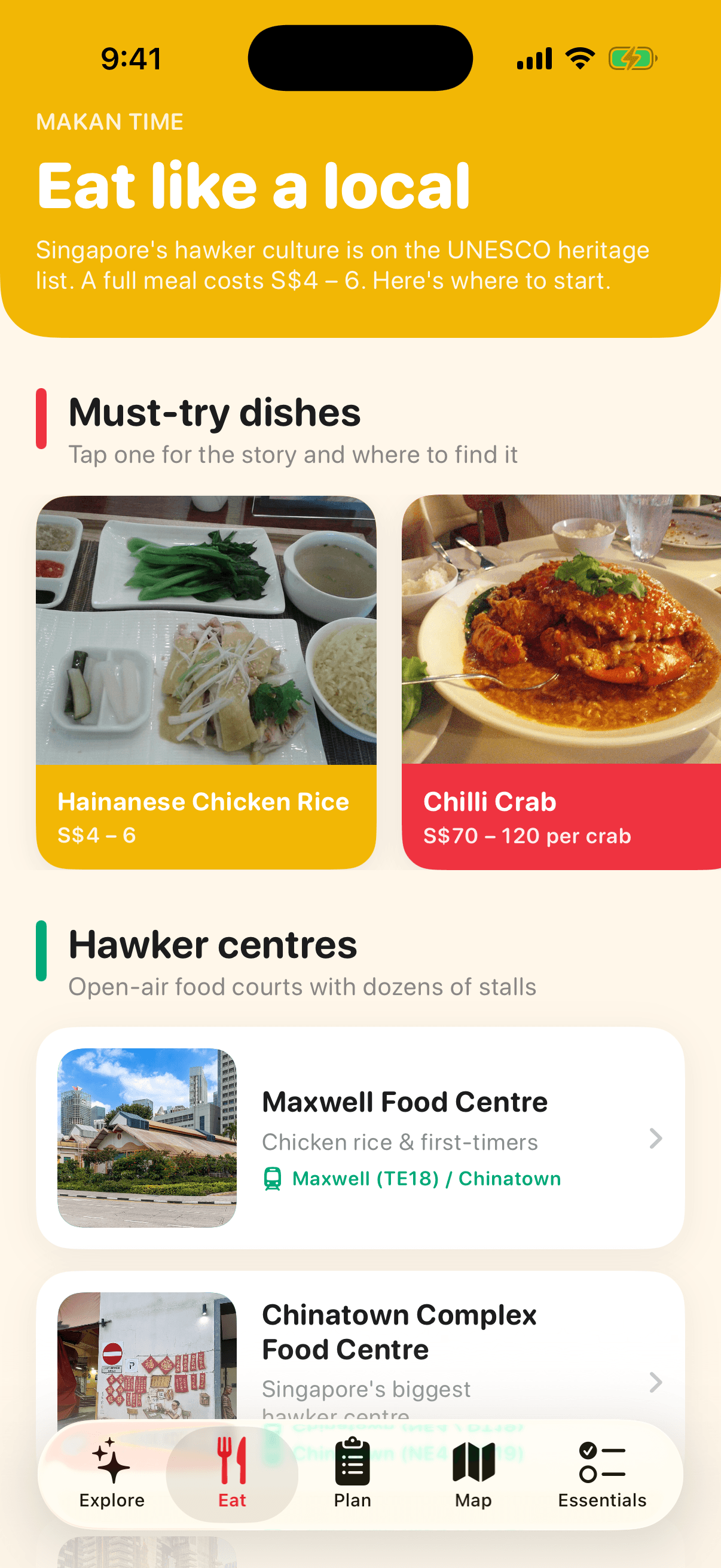
Eat like a local

Singapore's hawker culture is UNESCO-listed and a full meal costs S$4 to 6. This tab gets you to the right stall.

  • Eight must-try dishes with their story, price and the exact stall to try them at.
  • Seven hawker centres chosen for visitors, from Maxwell for first-timers to Old Airport Road where locals eat.
  • Restaurants worth booking, with one-tap reservations, and the four hawker etiquette rules that make you look like a regular.
Hawker centre guide screen of the Visit Singapore app
Food

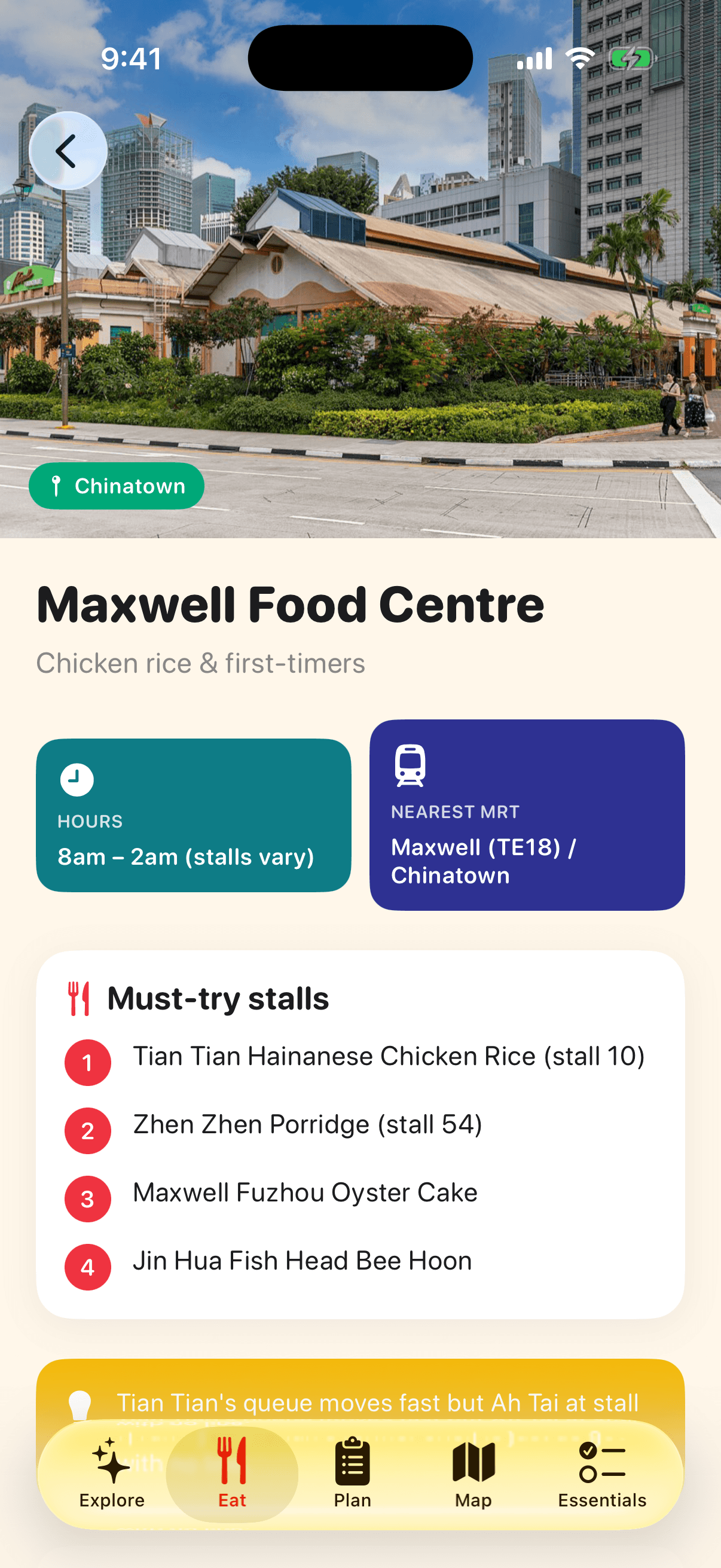
Hawker centre guide

Each hawker centre page is built around the stalls, not the building.

  • Must-try stalls in order, with the dish to order at each.
  • Opening hours, nearest MRT, a map and a local tip, such as which stall has the same chef with no queue.
  • Traveller tips and photos from people who ate there last week.
Dish stories screen of the Visit Singapore app
Food

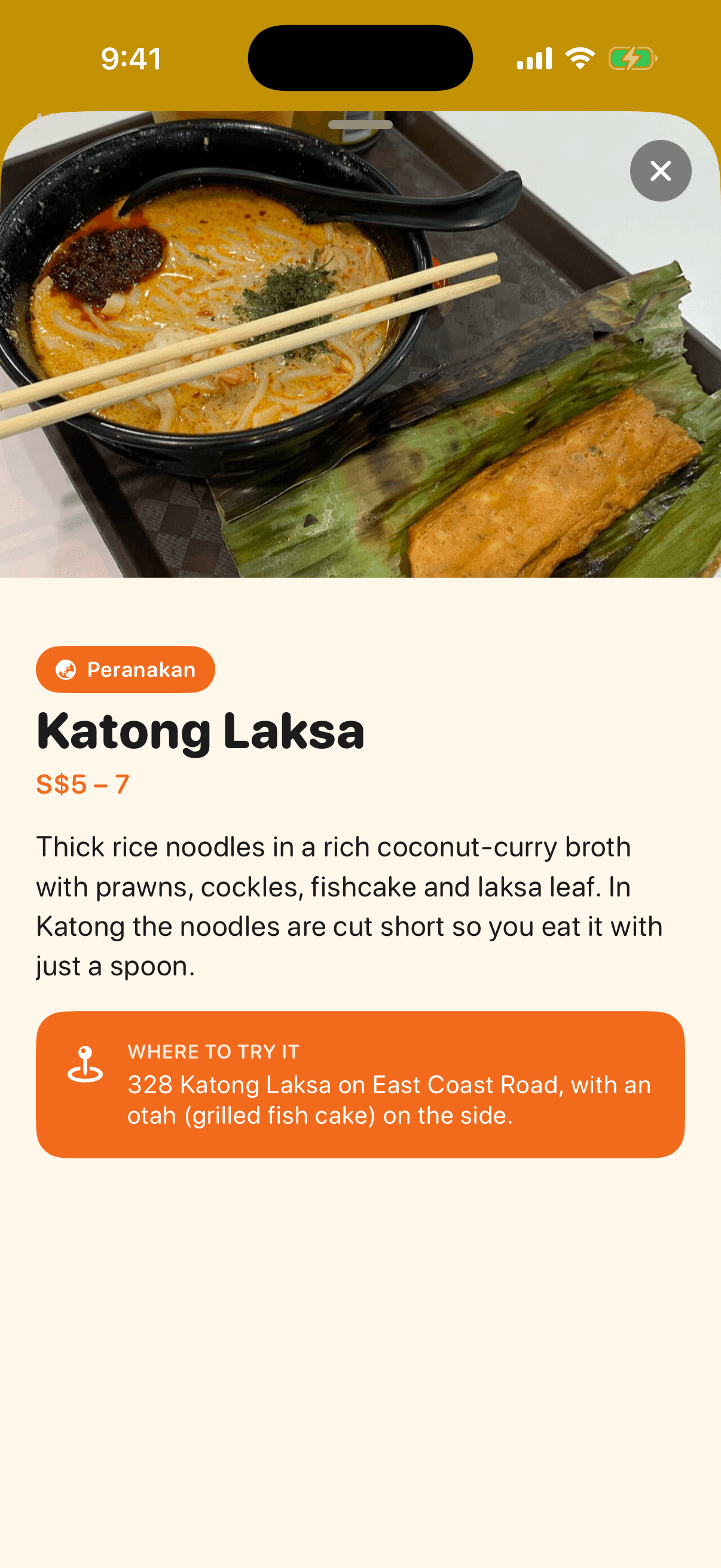
Dish stories

Tap any dish for a short story, what it costs, and where to try it.

  • Origin and what makes the Singapore version different.
  • Realistic hawker prices so you know when you are being overcharged.
  • A specific recommendation, not a list of twenty.
Plan screen of the Visit Singapore app
Trips

Plan

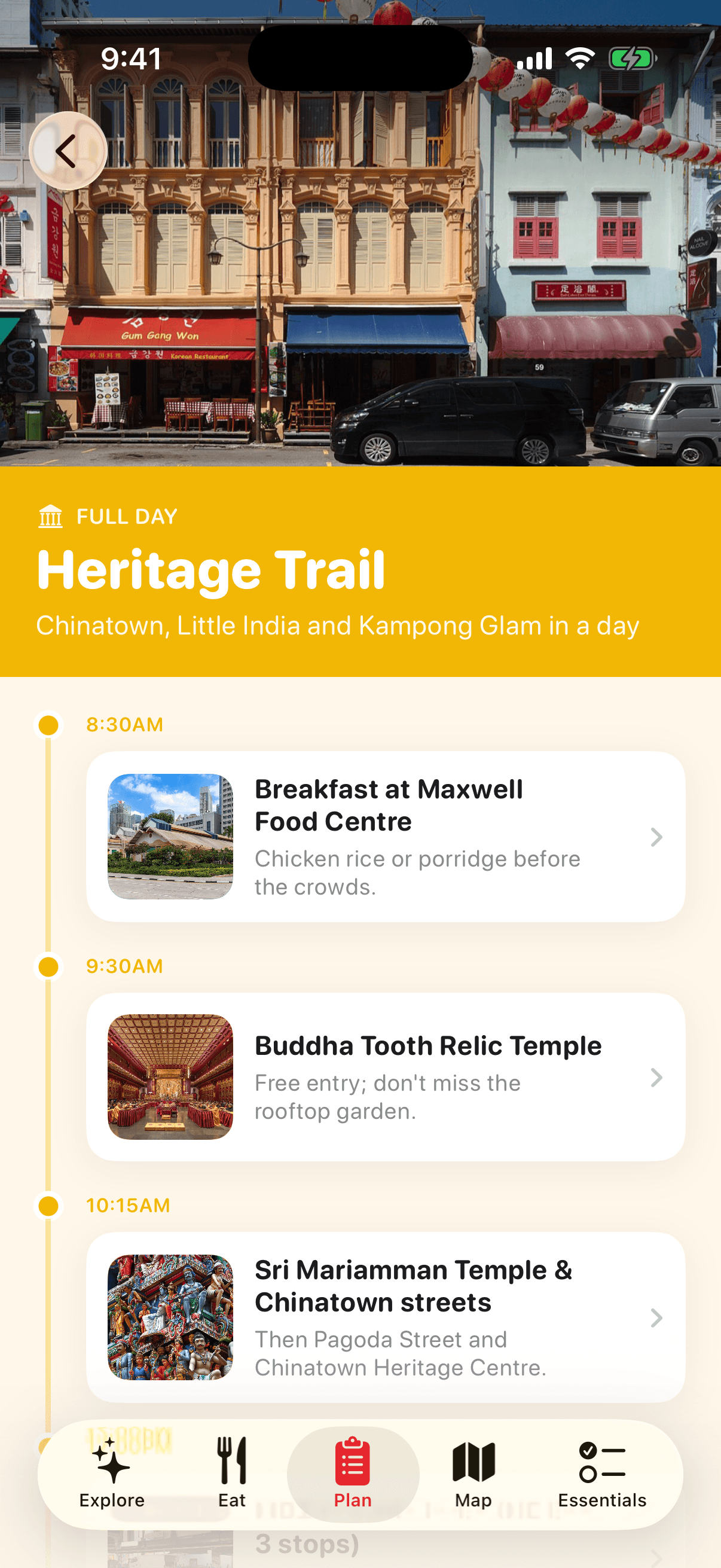
Build your own trip with friends, or start from a ready-made plan.

  • Create a trip with dates and get a day-by-day board. Add any place or hawker centre to a day from its page.
  • Share a six-letter code and your travel companions can edit the same trip from their phones.
  • Hotel search prefilled with your dates, and five proven itineraries from a five-hour layover to three full days.
Ready-made itineraries screen of the Visit Singapore app
Trips

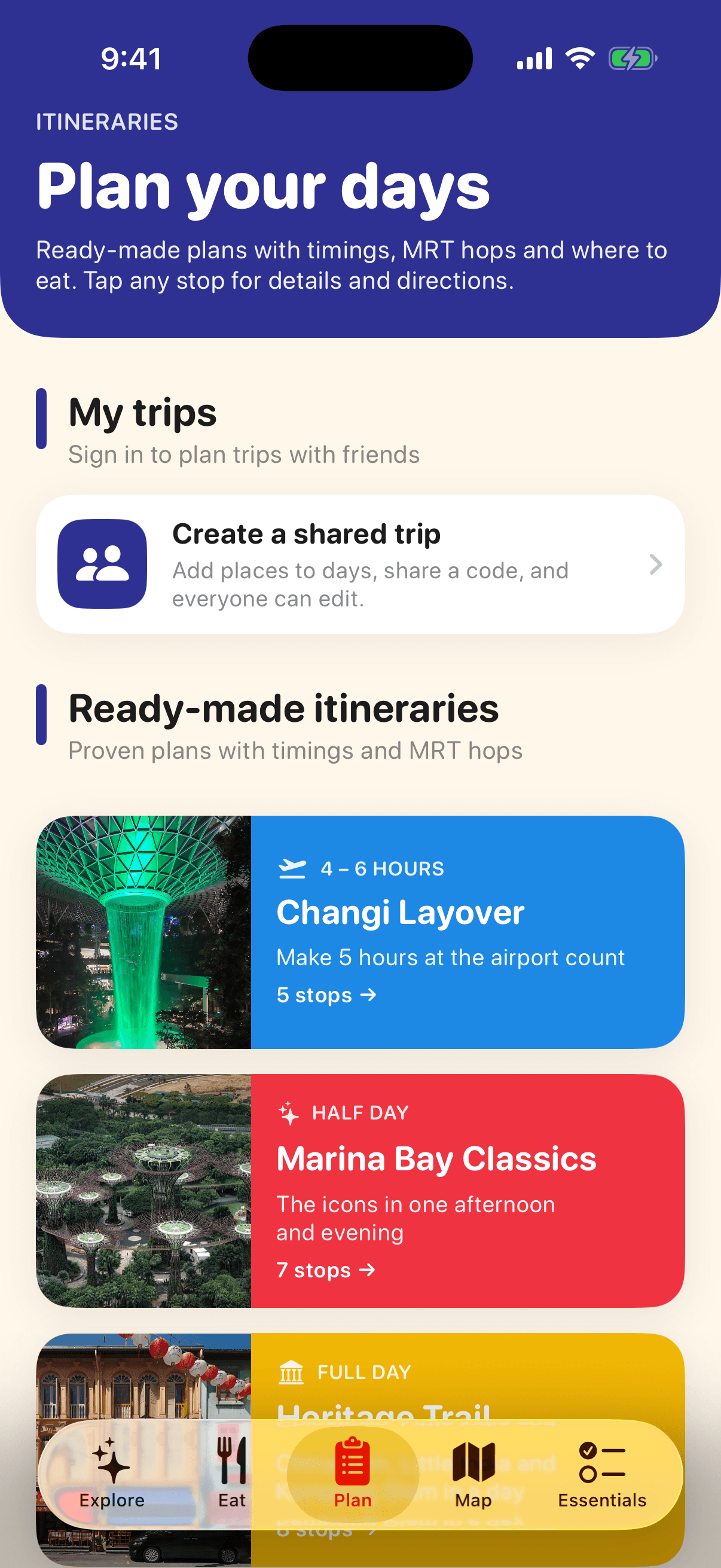
Ready-made itineraries

Timed, walkable plans with the MRT hops written in.

  • Each stop has a time, a note on what to do there, and a link to the full place page.
  • Breakfast and dinner are built in, at hawker centres near the route.
  • Plans for a Changi layover, Marina Bay in an afternoon, a heritage day, a rainy day and three perfect days.
Map screen of the Visit Singapore app
Navigation

Map

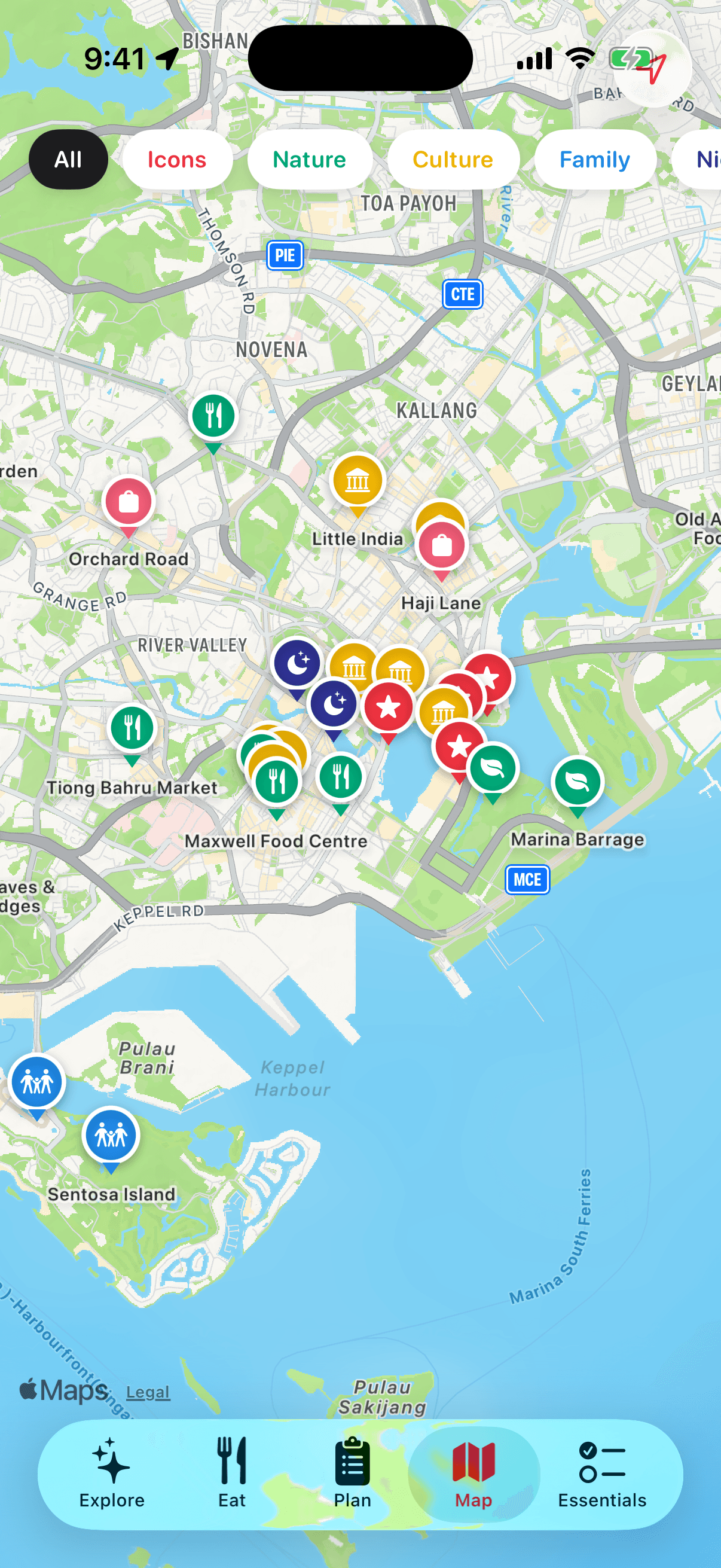
Every place and hawker centre on one map, filtered by what you feel like doing.

  • Colour-coded pins by category: icons, nature, culture, family, nightlife, shopping and food.
  • Tap a pin for a card with the photo, nearest MRT, details and directions.
  • Your location is only requested when you open this tab, never at launch.
Essentials screen of the Visit Singapore app
Practical

Essentials

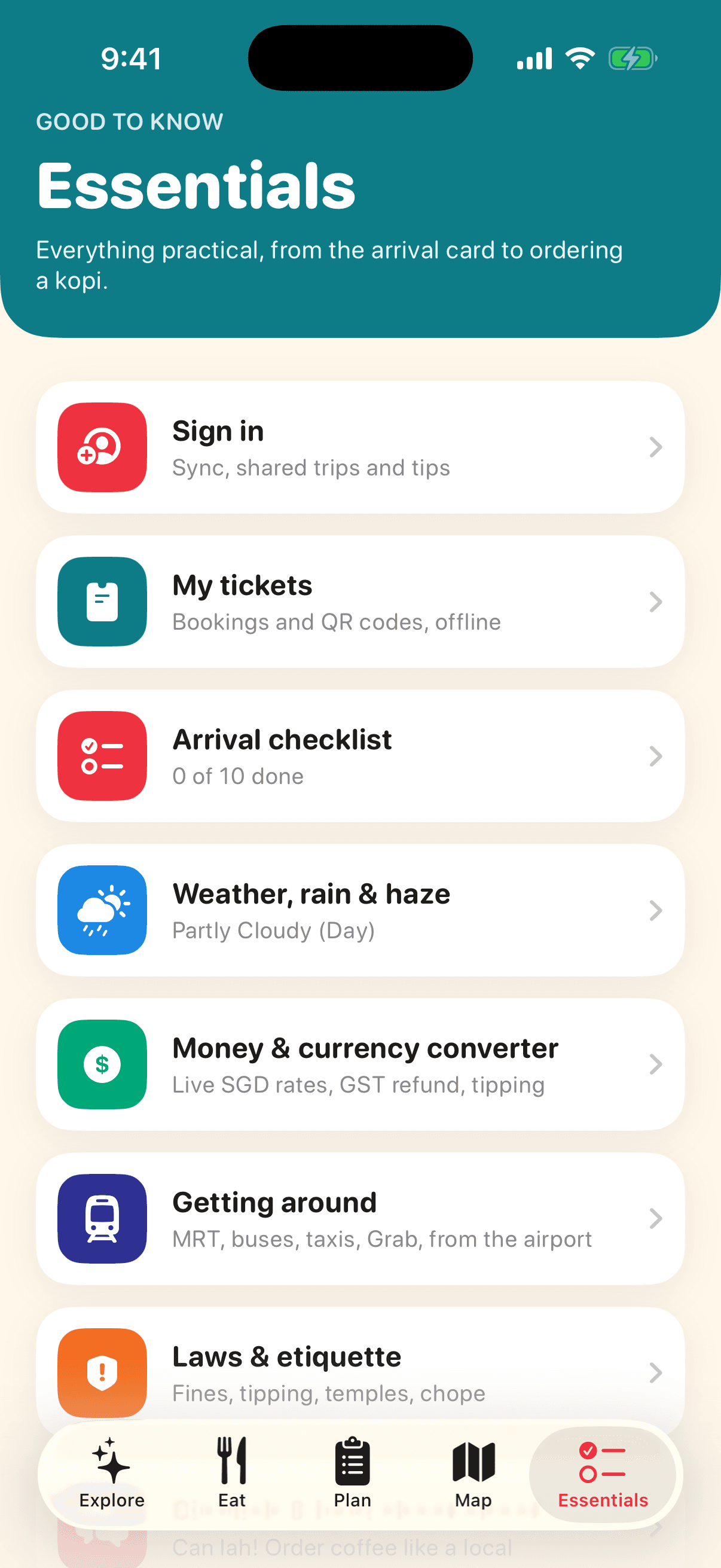
Everything practical in one place, from the arrival card to ordering a kopi.

  • Your profile, ticket wallet, arrival checklist, live weather, money, transport, laws, phrases and emergency numbers.
  • Designed to be used on the ground, with big tap targets and colour-coded sections.
Arrival checklist screen of the Visit Singapore app
Before you fly

Arrival checklist

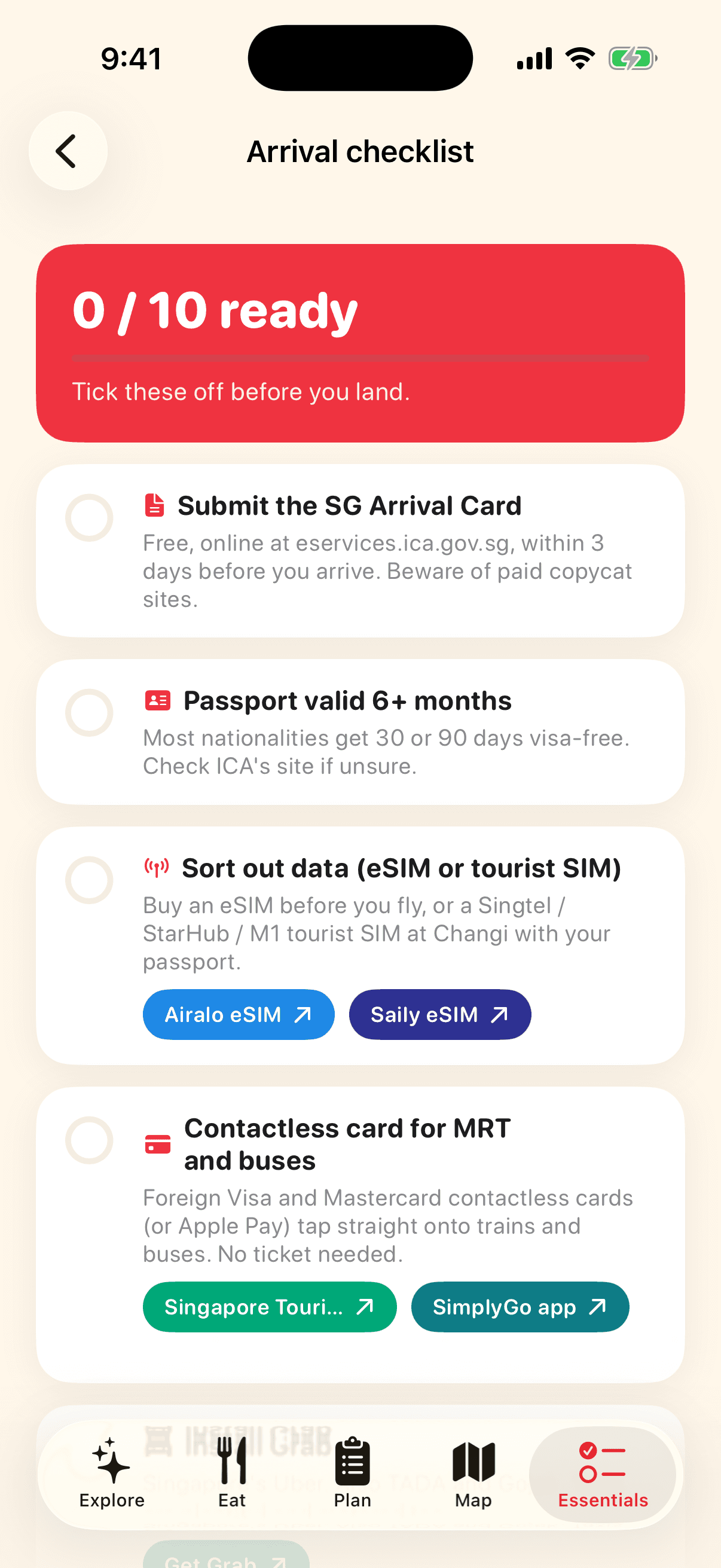
Ten things to sort before landing, each with the link to do it.

  • SG Arrival Card within three days, passport validity, eSIM, contactless card for the MRT, Grab, cash, adaptor, umbrella, what not to bring.
  • Buy an eSIM from Airalo or Saily, the Singapore Tourist Pass, or install Grab, right from the item.
  • Progress is saved and syncs across your devices when signed in.
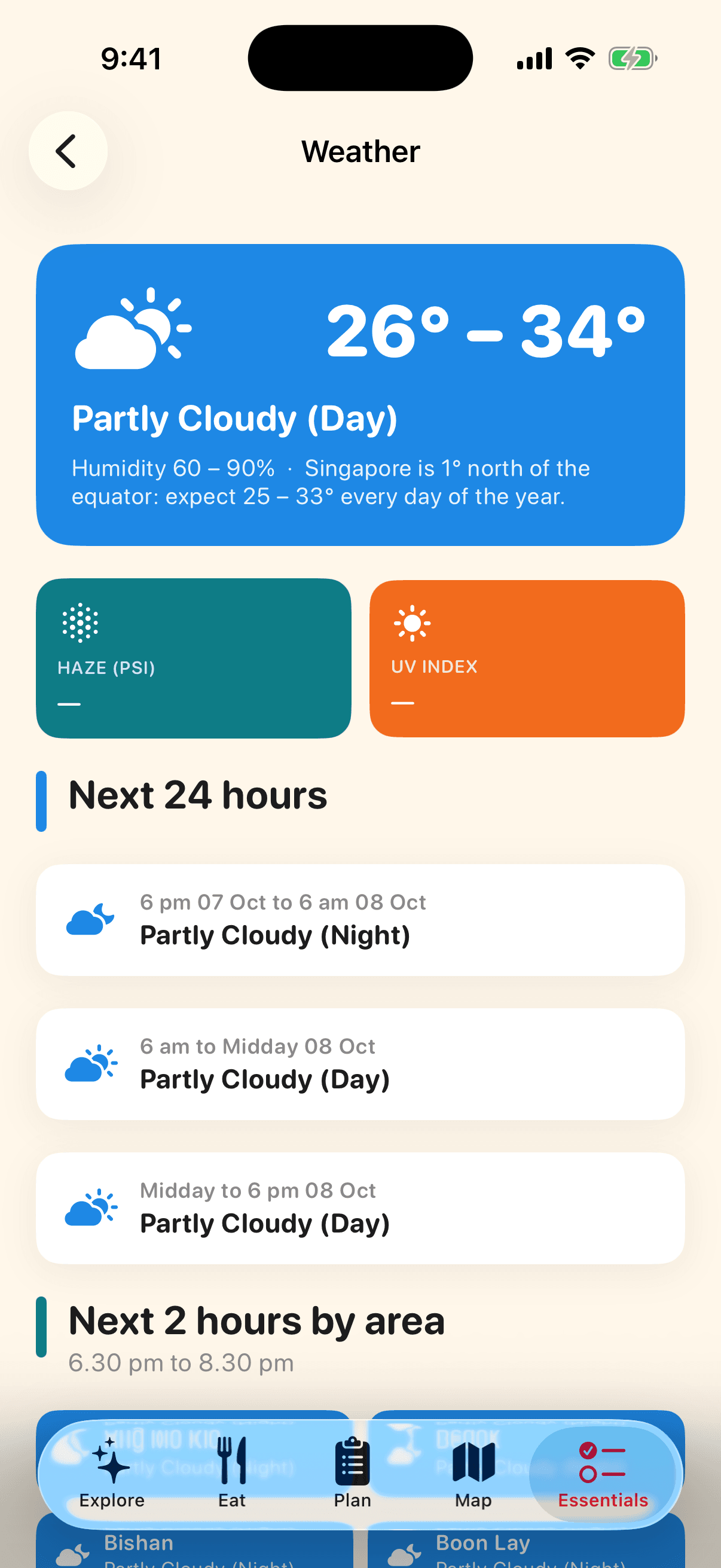
Weather, rain & haze screen of the Visit Singapore app
Live data

Weather, rain & haze

Singapore rain is heavy and short. Knowing which area it is in changes your afternoon.

  • Two-hour forecast for every area of the island, colour-coded, plus the 24-hour outlook.
  • Haze (PSI) and UV index with plain-language ratings.
  • Source: National Environment Agency via data.gov.sg.
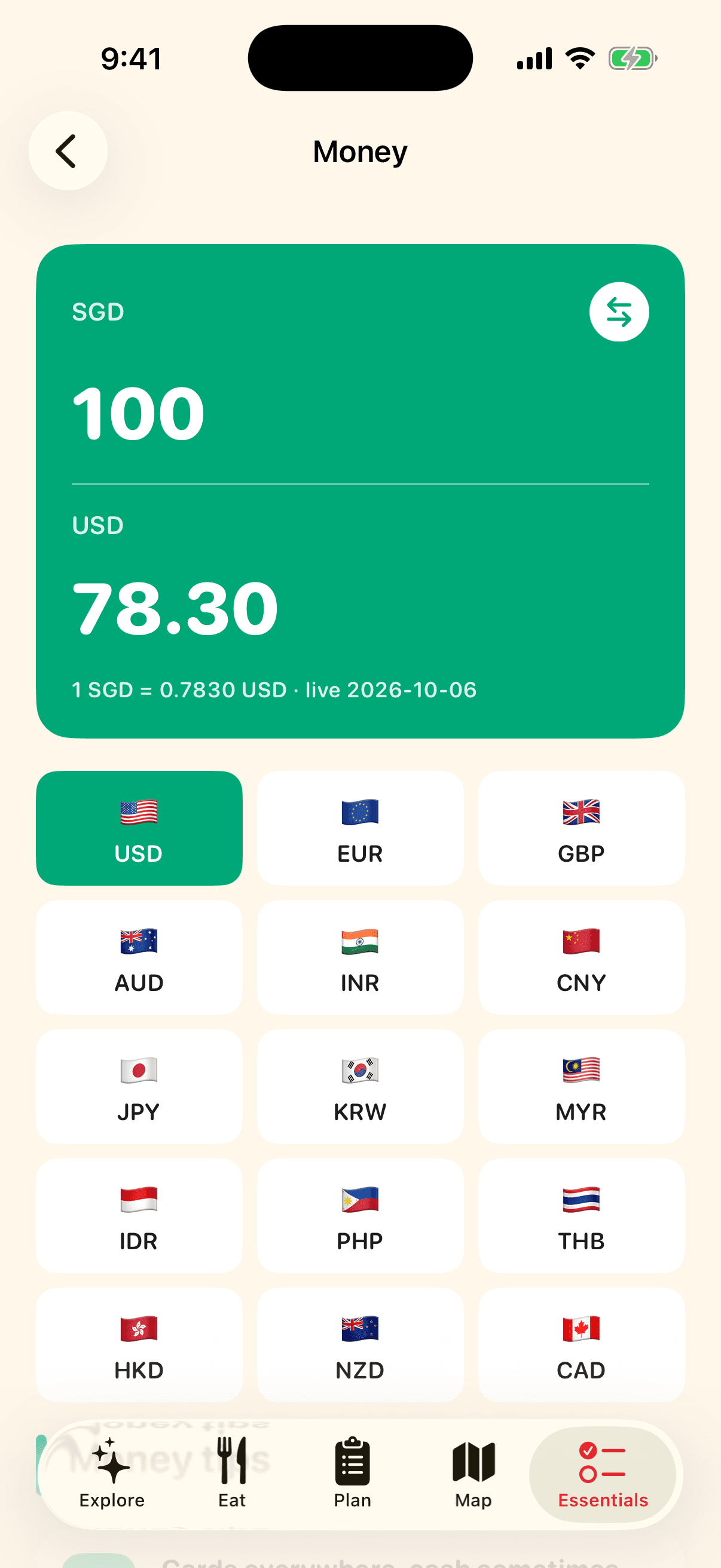
Money screen of the Visit Singapore app
Practical

Money

A converter with live rates, and the money tips that matter here.

  • Fifteen currencies, flip direction with one tap, rates from the European Central Bank refreshed daily.
  • Where to change money, how the 9% GST refund works, and why tipping is not expected.
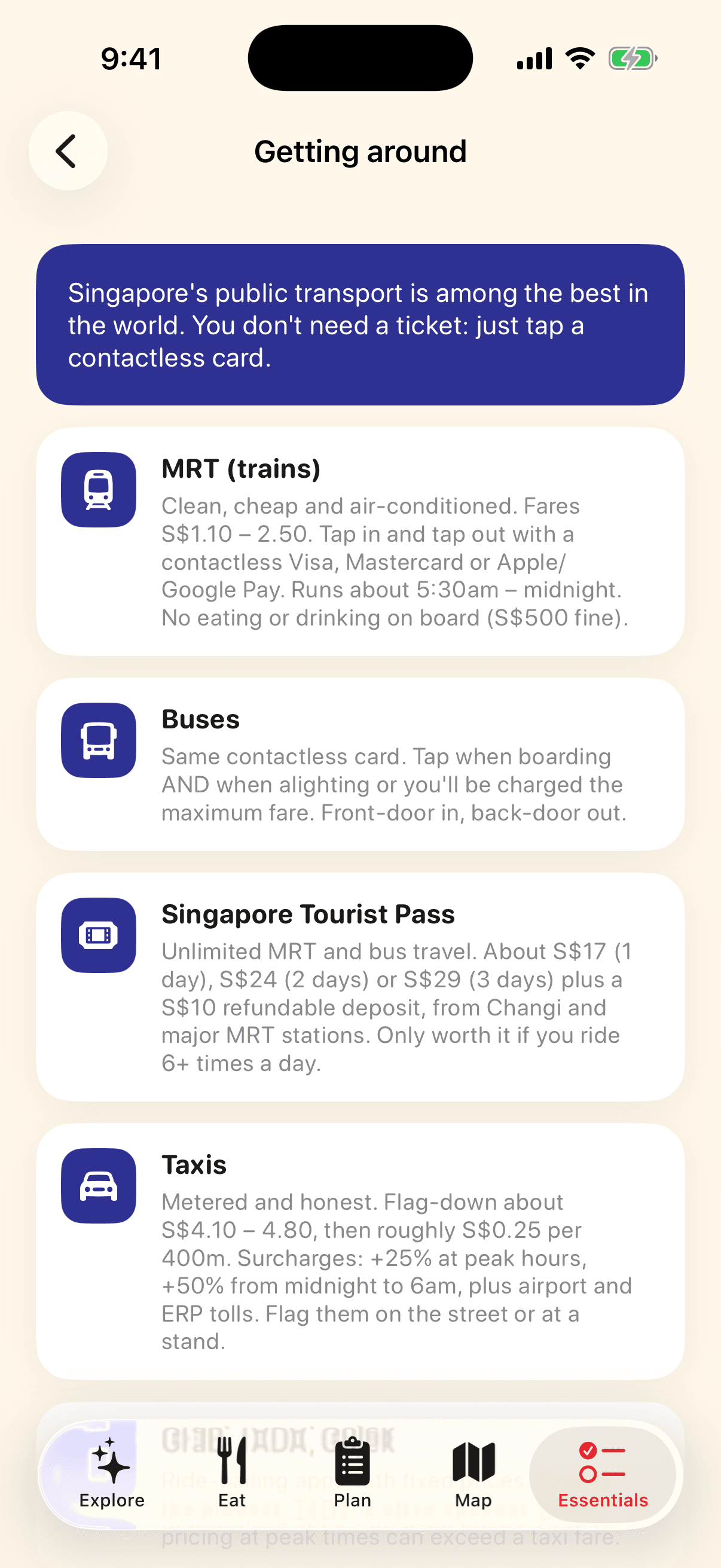
Getting around screen of the Visit Singapore app
Practical

Getting around

The MRT, buses, taxis and ride-hailing explained in the detail a visitor needs.

  • Fares, how to tap in and out with a foreign contactless card, when the Tourist Pass is worth it.
  • Taxi flag-down rates and surcharges, Grab versus TADA, and how to get in from Changi for under S$2.50.
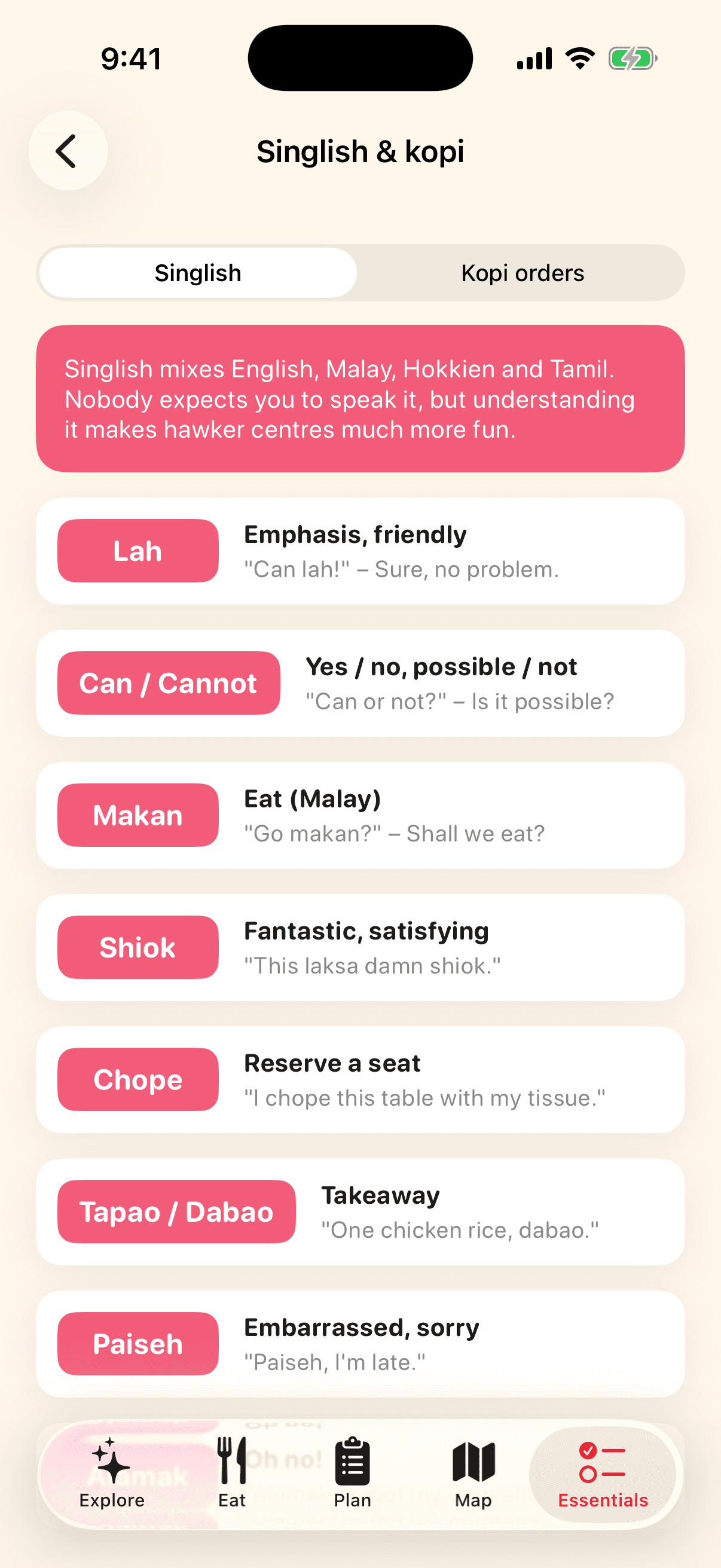
Singlish & kopi screen of the Visit Singapore app
Culture

Singlish & kopi

Twelve Singlish words you will hear in the first hour, and how to order coffee like a local.

  • Lah, can, makan, shiok, chope, dabao, paiseh, alamak, uncle, kiasu, bojio, steady.
  • The kopi cheat sheet: kopi, kopi-O, kopi-C, kosong, siu dai, peng and teh tarik.
Emergency numbers screen of the Visit Singapore app
Safety

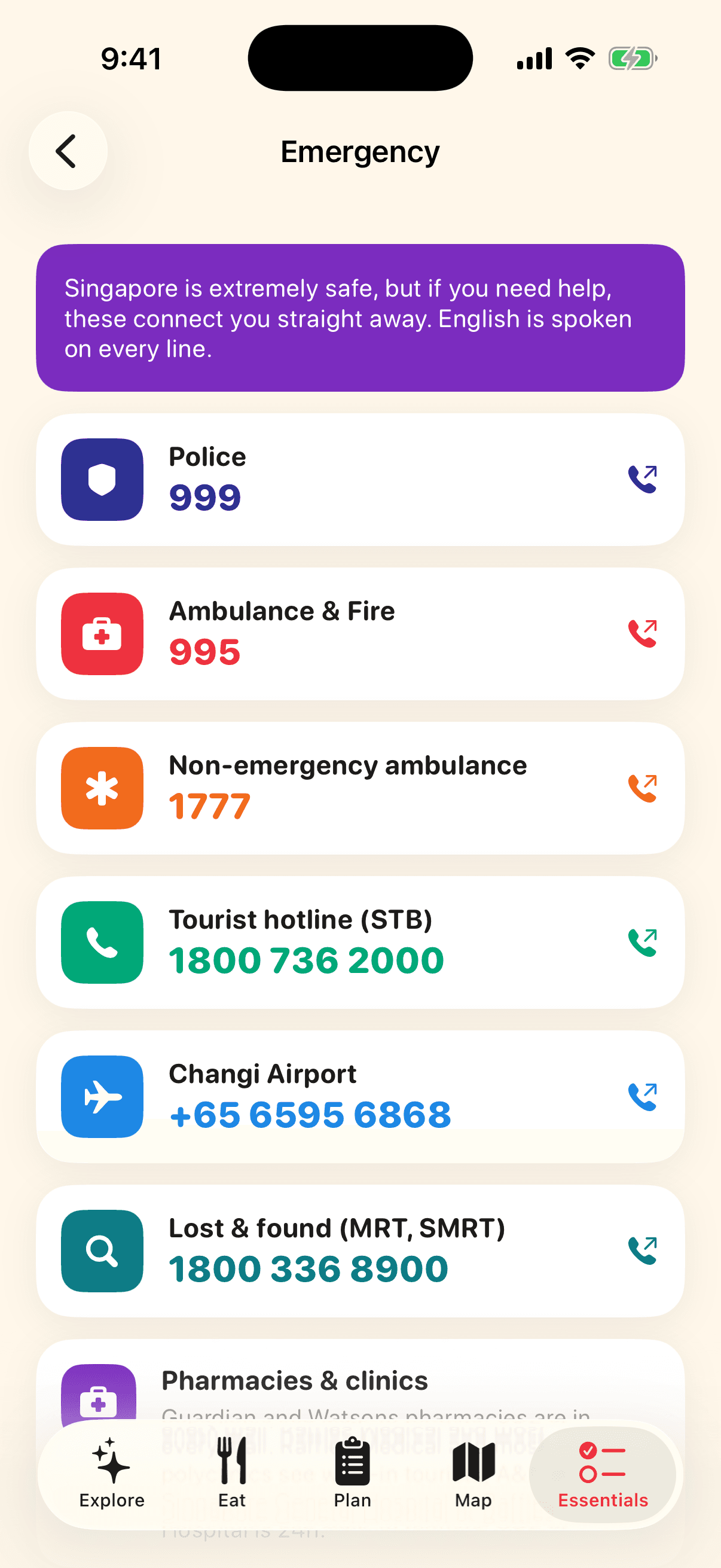
Emergency numbers

Tap to call. Police, ambulance, tourist hotline, airport and lost-and-found.

  • Every number dials directly from the app.
  • Where to find a pharmacy, a clinic and what to do about a lost passport.
Ticket wallet screen of the Visit Singapore app
Bookings

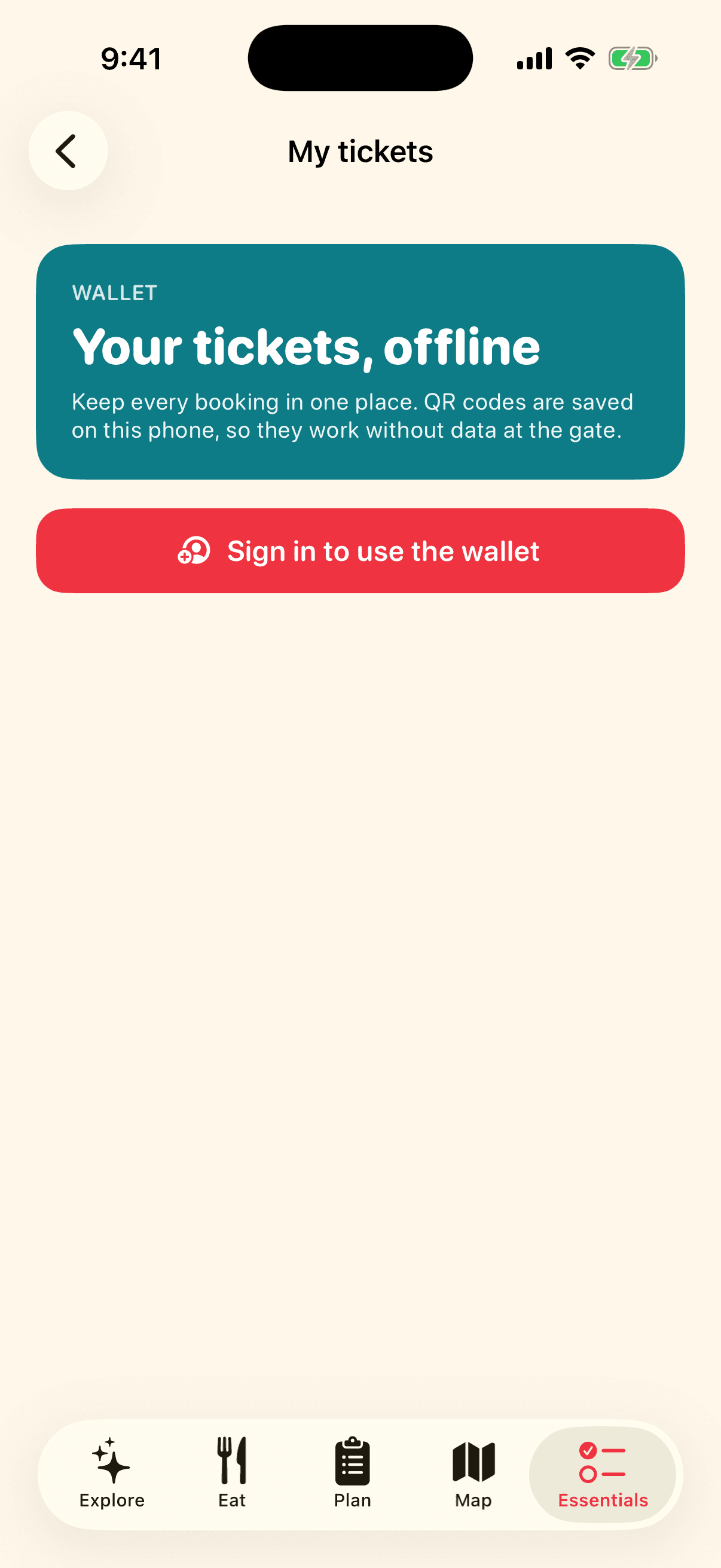
Ticket wallet

Every booking in one place, with QR codes saved on the phone so they work without data at the gate.

  • Add a title, place, provider, date, booking reference or a screenshot of the ticket.
  • A 'Your ticket for today' card appears on the home screen on the day.
  • Synced to your account, so it survives a lost or replaced phone.
Sign in screen of the Visit Singapore app
Account

Sign in

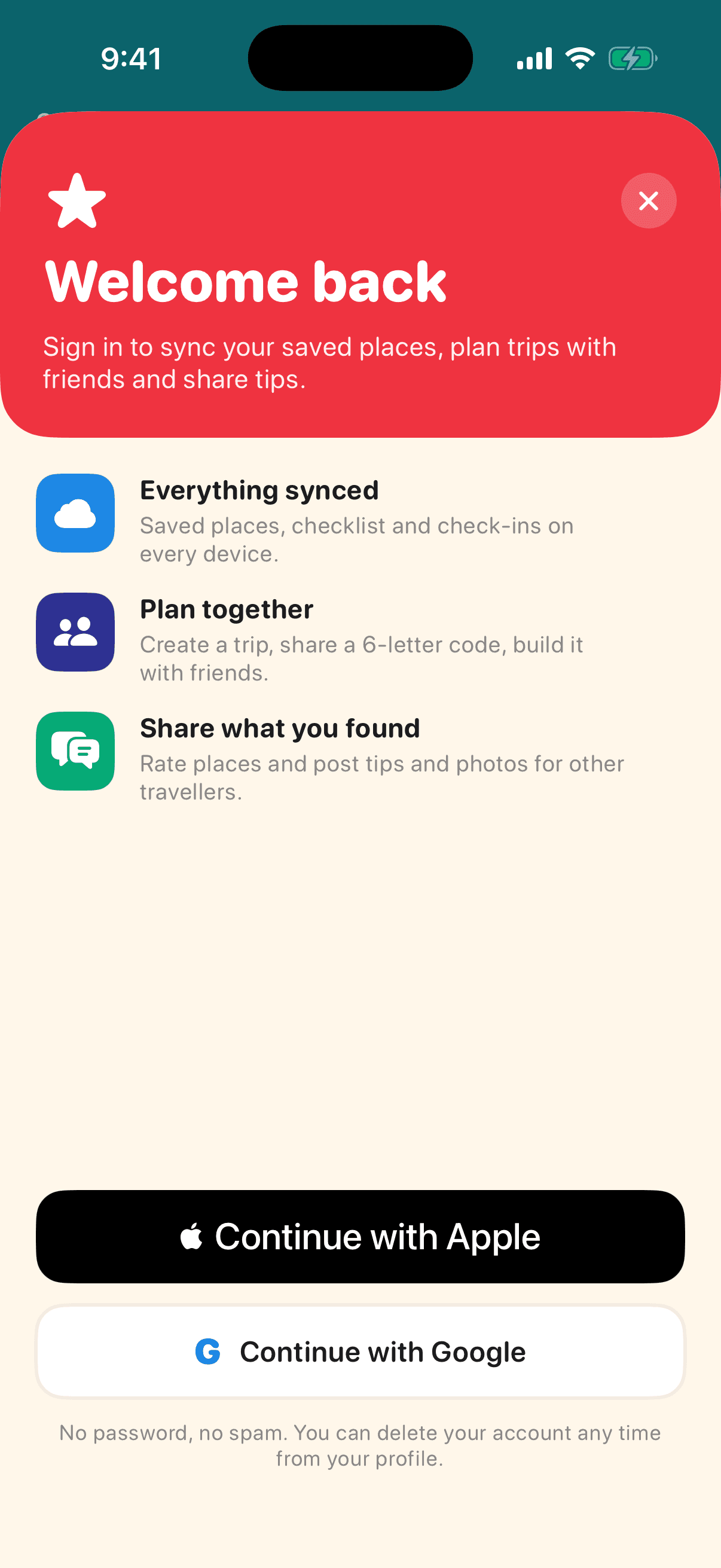
No passwords. Sign in with Apple or Google in two taps, or keep using the app without an account.

  • Signing in unlocks sync, shared trips, tips and the ticket wallet. Browsing never requires it.
  • Delete your account and all your data from your profile at any time.

Private by design

No passwords, no ad tracking, no selling data. Browse everything without an account. Sign in with Apple or Google only when you want sync, shared trips, tips or the ticket wallet, and delete your account from inside the app at any time.

Developed by Infonex Pty Ltd

Infonex is an Australian software company. Questions, press, partnership or feedback: admin@infonex.com.au